
How To Run An NPS Email Sequence That Gets More Responses

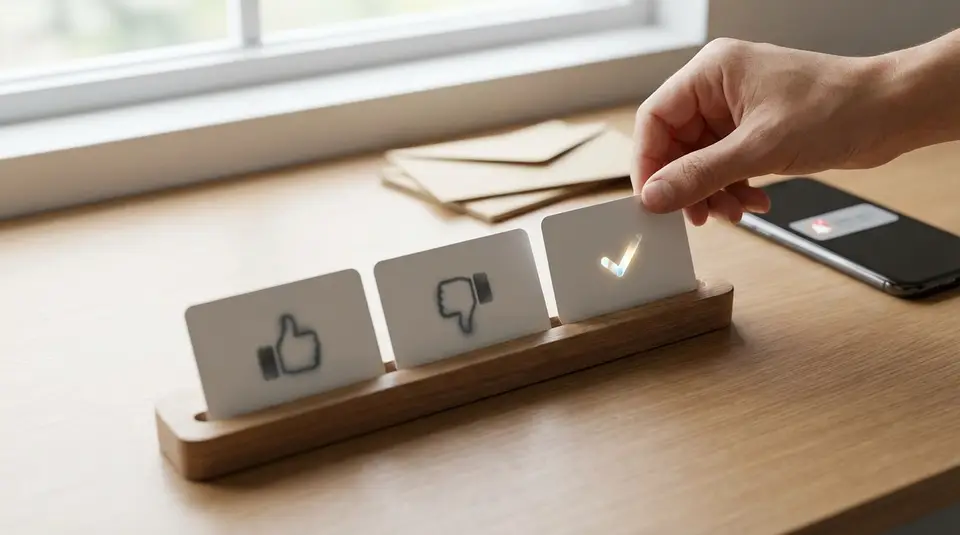
An NPS email sequence is a short set of messages that asks customers to rate how likely they are to recommend you, then nudges only the non-responders so you get enough feedback to act on. The basics are simple: send it right after a meaningful moment in the customer journey, keep the email lightweight, and make the rating scale easy to complete from the inbox. Most teams get more replies by using a clear subject line, embedding the 0–10 score, and scheduling one or two survey reminders a few days apart that stop automatically once someone answers. The sneaky response killer is not the wording, it’s sending at the wrong time or piling on follow-ups that create survey fatigue.
What an NPS email survey sequence is and when to use it
Relationship NPS vs transactional NPS
An NPS email survey sequence is a small series of emails that asks one core question: “How likely are you to recommend us?” (0 to 10), plus an optional follow-up question like “What’s the main reason for your score?” The “sequence” part matters because the first send never reaches everyone at the right moment. A well-designed sequence includes a gentle reminder (or two) that stops automatically once a customer responds.
There are two common types:
- Relationship NPS measures overall sentiment about your brand across the full experience. It’s best for spotting trends over time and comparing customer segments.
- Transactional NPS measures sentiment after a specific touchpoint, like onboarding completion, a resolved support ticket, a delivery, or a renewal conversation. It’s best for finding what’s working (or breaking) in a particular workflow.
In practice, many teams run relationship NPS on a fixed schedule (like quarterly) and transactional NPS continuously after key events. Tools like Mailscribe make this easier by letting you trigger sends from lifecycle milestones and stop reminders when someone clicks a score.
Best timing in the customer lifecycle
Timing is the difference between “useful feedback” and “random opinions.” Send NPS after the customer has had enough time to form a real impression, but while the experience is still fresh.
A few reliable timing rules:
- After first value: Send once the customer has achieved a clear win (not right after signup).
- After meaningful interactions: Trigger after onboarding completion, a successful implementation, or a support case that was marked resolved.
- Before renewal decisions: Use NPS far enough ahead of renewal to act on issues, not days before the contract ends.
- Avoid noisy moments: Don’t send during outages, billing incidents, or major product changes unless your goal is specifically to measure that event.
If you’re unsure, start with transactional NPS at a single milestone, then add relationship NPS once you can act on the themes you collect.
NPS email sequence timing, cadence, and number of reminders
First send timing that avoids inbox fatigue
The first NPS email should land when customers can answer quickly and confidently. That usually means sending it shortly after a meaningful milestone, but not on the same day they are already getting onboarding, billing, or product announcement emails.
A practical approach is to schedule the first send for a quiet window in your lifecycle messaging. For example, if onboarding emails go out on Days 0, 1, and 3, an NPS email on Day 4 or Day 7 often feels less intrusive. For event-triggered transactional NPS, send after the outcome is clear: after a ticket is truly resolved, after the order is delivered, or after setup is completed.
Two simple rules reduce inbox fatigue:
- Do not stack asks. If you also run reviews, referrals, or feature announcements, stagger them.
- Respect NPS cooldowns. Avoid re-surveying the same person too often. Many teams treat 60 to 90 days as a minimum gap for relationship NPS, and only trigger transactional NPS when the event is meaningful.
Reminder spacing that improves response rates
Most response lift comes from the first reminder, not from piling on more emails. A clean cadence is:
- Reminder 1: 2 to 4 days after the first send
- Reminder 2 (optional): 5 to 7 days after Reminder 1
Keep reminders short and low-pressure. Use the same embedded 0 to 10 scale, so the customer can respond in one click. In Mailscribe, set reminders to send only if the contact has not clicked a score, and avoid changing the subject line too aggressively. Consistency helps recipients recognize it as the same quick request, not a new campaign.
Sunset rules for non-responders
Sunset rules protect your deliverability and your customer relationship. Decide upfront when to stop, and stop automatically.
A solid default for an NPS email survey sequence is:
- End the sequence after 1 to 2 reminders, or
- End after 10 to 14 days total from the first send, whichever comes first.
After you sunset, do not keep “checking in” with more survey nudges. Instead, tag the contact as “no response” for that cycle and wait until the next appropriate NPS window. This keeps your NPS program sustainable, improves inbox placement over time, and ensures your responses come from people who actually want to share feedback.
NPS email design that removes friction and gets clicks
Embed the score scale in the email
The fastest way to raise NPS response rates is to make the first step effortless. Instead of asking people to “take a survey” and then forcing a click to a separate page, embed the 0 to 10 rating scale directly in the email. Each number should be a tappable button that records the score with one click.
This does three things well:
- Removes extra loading time and drop-off.
- Works better on mobile, where long forms feel painful.
- Sets the expectation that this will take seconds, not minutes.
After the click, send respondents to a simple landing page where they can add an optional comment (“What’s the main reason for your score?”). Keep that page lightweight too. The goal is to capture the score first, then invite context.
One-screen layout with a single CTA
Treat your NPS email like a micro-transaction. One question. One action. One screen.
A strong layout is:
- A short opener (one or two sentences) that explains why you’re asking.
- The embedded 0 to 10 scale.
- A tiny line of reassurance like “Takes 10 seconds.”
Avoid multiple competing buttons (book a call, read a blog post, upgrade, etc.). Even a secondary link in the footer can siphon clicks away from the rating. If you must include compliance links or a preference center, keep them visually quiet.
Also, limit the message to one clear sender identity. For example, “Alex from [Company]” often feels more personal than a generic “noreply@” address.
Mobile-first formatting and accessibility
Most customers will open your NPS email on a phone, so design for thumbs first. Make the number buttons large, spaced apart, and easy to tap without zooming. Keep the email narrow, with short lines of text and plenty of white space.
Accessibility improves response rates too, because more people can complete the survey without friction:
- Use high color contrast for numbers and labels.
- Do not rely on color alone to indicate meaning.
- Include descriptive text labels like “0 = Not likely” and “10 = Extremely likely.”
- Use a readable font size and avoid tiny footers.
If your embedded scale uses images, include meaningful alt text so the intent is clear even when images are blocked. A simple, accessible NPS email design usually outperforms a “fancier” template because it loads faster and asks less of the reader.
NPS email subject lines and copy that feel personal
Subject line patterns that earn opens
NPS emails win opens when they look like a quick, human request, not a campaign blast. Keep subject lines short, specific, and low-hype. If your brand voice allows it, a light “favor” framing often works because it matches what you are actually asking for.
Patterns that tend to perform well:
- Direct and honest: “Quick question” or “One question about your experience”
- Context-based: “How was onboarding?” or “How did support do?”
- Time-bound: “30-second feedback?”
- Personal sender cue: “A quick ask from [Name]”
Avoid heavy marketing language (“exclusive,” “limited,” “important update”) and avoid stuffing “NPS” into the subject line unless your audience is already familiar with it. For many customers, “NPS survey” reads like work.
Body copy that sets expectations fast
The best NPS email copy does three jobs quickly: explains why, sets the time cost, and makes the click feel safe.
A simple structure that fits most teams:
- One sentence of context: what you want to improve.
- The NPS question with the embedded 0 to 10 scale.
- A reassurance line: “Reply takes under a minute.”
Write like a person. Use “you” and “we.” Skip long intros, logos, and multiple paragraphs. Also be clear about what happens next. For example: “After you click a score, you can leave a comment (optional).” That reduces anxiety for people who worry they’re about to be trapped in a long survey.
If you use Mailscribe personalization, keep it subtle. First name, plan name, or the specific milestone (“You’ve been with us 60 days”) can help. Over-personalization can feel creepy and distract from the rating.
Incentives and why they can backfire
Incentives can increase responses, but they can also lower the quality of feedback. When people respond “for the reward,” you may see more rushed scores, less thoughtful comments, and a sample that skews toward incentive-seekers rather than your typical customer.
Other common downsides:
- Trust hit: Some customers dislike being “paid” for feedback.
- Bias risk: Even small rewards can nudge scores upward.
- Operational noise: Tracking eligibility and fulfillment adds work.
If you do use an incentive, keep it modest and make it neutral to the score. Better yet, test it on a segment and compare not just response rate, but comment quality and follow-up outcomes. For many teams, the cleaner win is removing friction: embedded scoring, a short email, and a respectful reminder cadence.
Smart follow-ups by score: promoters, passives, and detractors
Closing the loop without sounding salesy
Detractor follow-up email dos and donts
When someone gives a low score (typically 0 to 6), your follow-up email should feel like a real attempt to fix the problem, not a retention script.
Do:
- Reply fast while the context is fresh (often within 1 business day).
- Start with a simple thank-you and a clear apology for the experience.
- Ask one focused question to understand the issue (“What was the biggest blocker?”).
- Offer a specific next step (a call, a fix, or a timeline) and keep it easy to accept.
- Follow through, then confirm the outcome in a later note.
Don’t:
- Argue about the score or pressure them to change it.
- Dump a long questionnaire on them.
- Route them straight into a sales pitch.
- Make promises you cannot keep (“We’ll solve this today” if you can’t).
After detractors, tailor the rest of your “close the loop” workflow by score. For promoters (9 to 10), a short thank-you is often enough. If you ask for a review or referral, do it as a separate step and make it optional. For passives (7 to 8), treat them like “almost there.” Thank them, ask what would make it a 9 or 10, and look for product or onboarding gaps you can actually address.
In Mailscribe, this is where score-based automation helps: different follow-ups, different owners, and no manual sorting.
Tagging feedback themes for routing
Scores tell you how people feel. Comments tell you why. Tag common themes so feedback goes to the right place quickly, like “onboarding,” “pricing,” “support speed,” “missing feature,” or “bug.” Then route by theme and severity: product gets feature gaps, support gets unresolved issues, and success gets adoption problems. Keep the tag list short so it stays consistent over time.
Compliance basics for follow-up (GDPR and CCPA)
Follow-ups should respect both privacy rules and expectations. Under GDPR, keep your purpose clear, collect only what you need, and avoid using survey feedback for unrelated marketing. Under CCPA/CPRA, honor opt-out preferences and avoid “selling” or “sharing” personal information in ways that require additional notices. In practice: send from the same relationship context, store feedback securely, limit access, and make sure every email still includes a working unsubscribe link.
NPS email templates you can copy and customize
Initial NPS email template
Subject: Quick question about your experience
Hi {{first_name}},
Quick one: how likely are you to recommend {{company_name}} to a friend or colleague?
[0][1][2][3][4][5][6][7][8][9][10]
0 = Not likely, 10 = Extremely likely
After you click a number, you’ll have the option to add a short comment (optional). It usually takes less than a minute.
Thanks,
{{sender_name}}
{{sender_title}}
Reminder email template
Subject: Friendly reminder: 10-second feedback?
Hi {{first_name}},
Just bumping this to the top of your inbox. Could you rate your experience with {{company_name}}?
[0][1][2][3][4][5][6][7][8][9][10]
0 = Not likely, 10 = Extremely likely
Thank you,
{{sender_name}}
Post-response follow-up templates by score
Promoter (9 to 10) follow-up
Subject: Thank you
Hi {{first_name}},
Thanks for the {{score}}. I’m really glad {{company_name}} is working well for you.
If you’re open to it, what’s the main reason you chose that score? One sentence is perfect.
Appreciate you,
{{sender_name}}
Passive (7 to 8) follow-up
Subject: Quick follow-up
Hi {{first_name}},
Thanks for rating us a {{score}}.
If we wanted to earn a 9 or 10 from you, what’s the one thing you’d change or improve?
Thank you,
{{sender_name}}
Detractor (0 to 6) follow-up
Subject: I’m sorry we missed the mark
Hi {{first_name}},
Thank you for the honest feedback and for rating us a {{score}}. I’m sorry your experience hasn’t been what you expected.
If you’re willing, what was the biggest issue that led to your score? If it’s easier, you can reply to this email with a quick note.
If you’d prefer, I can also set up a short call. Here’s a link to pick a time: {{scheduling_link}}
Thanks again,
{{sender_name}}
Related posts
Keep reading

Tips for Creating Interactive Emails
Boost clicks and conversions with fun, mobile-friendly interactive emails using quizzes, GIFs, countdowns, polls, sliders, and AMP-powered dynamic content.

How to add a countdown timer to email campaigns?
Email countdown timer setup: pick a hosted GIF timer, embed the HTML in your ESP, and handle Apple Mail/Outlook fallbacks for accurate urgency with quick tests.
The Downside of Buying Email Lists
Buying email lists can trigger spam complaints, blocklists, and GDPR/CAN-SPAM issues; protect deliverability with permission-based, opt-in list-building tactics.

How To Build Browse Abandonment Triggers Without Third Party Cookies
Browse abandonment triggers built on first-party events and consented IDs, with timing, filters, and channel rules to follow up without third-party cookies.

How To Cross Sell In Receipts Without Surprising Customers
Cross sell in receipts with relevant add-ons, clear pricing, and gentle timing; keep the receipt useful, respect consent, and avoid any pushy surprises.

How To Write Review Request Emails That Increase Ratings Ethically
Review request emails that earn honest ratings: subject lines, timing, personalization, and policy-safe follow-ups that respect customers without incentives.